Install Mac Os X Version 10.6 Free Download
How to Download MacOS Installers for New & Old Versions
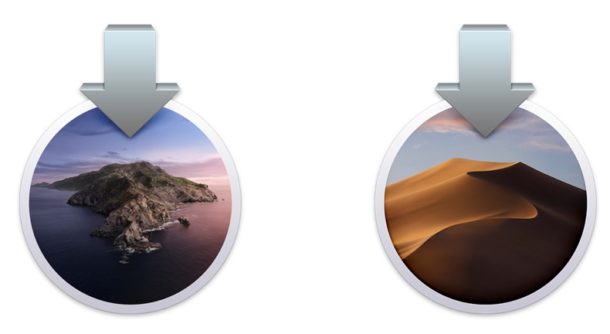
Want to know how to download MacOS and Mac Os Ten Installers from? You might be wondering where y'all can download older versions of Mac Os from, especially if y'all're looking to install a different MacOS version or even an older organisation software version.
Downloading and using different Mac OS installers is very common for troubleshooting purposes, for IT staff and admins, and for tinkerers. This article will discuss where to download and access installers for MacOS Monterey, macOS Big Sur, macOS Catalina, MacOS Mojave, MacOS Loftier Sierra, macOS Sierra, Mac OS 10 El Capitan, Bone X Yosemite, Os X Mavericks, Mac OS X Mountain Lion, Mac OS X Lion, Mac Bone X Snow Leopard, Mac OS 10 Leopard, Mac Os X Tiger, and others too.
Where to Download Mac Os Installers From
The post-obit links betoken to locations from Apple website where yous can download various MacOS arrangement software installers.
- MacOS Monterey 12 (Directly link to InstallAssistant.pkg, App Store link)
- macOS Large Sur 11 (App Store link)
- macOS Catalina 10.15 (App Store link)
- macOS Mojave 10.14 (App Shop link)
- macOS High Sierra 10.13 (App Store link)
- macOS Sierra 10.12 (Direct DMG download link)
- Bone Ten El Capitan ten.11 (Direct dmg download link)
- Os X Yosemite 10.10 (Direct download link)
- Mac Bone X Mountain Panthera leo 10.8
- Mac Bone 10 Panthera leo 10.7
New versions of MacOS installers are typically bachelor through the Mac App Store, accessed through a calculator that is compatible with the latest Mac system software release.
Older versions of Mac Os X installers can oftentimes be downloaded as well, simply from dissimilar sources.
For earlier versions of Mac Os X, including Mac Os X Mavericks 10.9, Mac Os X Mountain Lion 10.eight, Mac OS Ten Panthera leo 10.7, Mac OS Ten Snow Leopard ten.6, Mac Os X Leopard x.five, Mac OS 10 Tiger 10.iv, and before, the process to obtain those installers differs a flake.
Downloading MacOS Installers via Terminal
Mac users can download the latest macOS installer available from the Last by using the post-obit command string:
softwareupdate --fetch-full-installer
Yous can also download specific installer versions by using the following syntax, replacing the asterisks with version number:
softwareupdate --fetch-full-installer --full-installer-version **.**.*
For example, to get macOS 11.iii.one the syntax would exist every bit follows:
softwareupdate --fetch-full-installer --full-installer-version 11.3.1
Downloading Mac Os X Installers from App Shop "Purchases"
If you had at one point in time purchased or downloaded a version of MacOS or Mac Os Ten from the Mac App Store, and then you should be able to re-download it from the Mac App Store by going become the "Purchases" section. This can typically exist used to admission downloads for installers for MacOS Mojave, High Sierra, Sierra, Mavericks, and Mountain Panthera leo, though there are some caveats and exceptions.
- Open the App Store
- Go to the "Purchases" section (newer App Store versions must go to Account > Purchases)
- Ringlet downwardly the listing of Purchased items to locate the Mac OS X Installer version you wish to re-download, so click on the download button
This works particularly well if the Mac you're downloading the software onto is running an older version of Mac OS X.
This approach for re-downloading older OS X installers from App Store Purchases section works for obtaining many older versions of Mac OS X, particularly if the machine doing the downloading is running an older Mac release too. For example, re-downloading Mavericks from Yosemite, whereas if you're running the App Store from newer versions of MacOS you'd need to follow the links further above to download the installers directly, or via the App Store links.
Downloading Mac Bone X Snow Leopard
If yous're a registered Apple developer then you may exist able to download Mac OS X Snow Leopard and Mac OS X Leopard directly from Apple tree ADC using the following links:
- Download Mac Os X Snowfall Leopard (DMG file, via Apple ADC downloads)
- Download Mac Bone Leopard (DMG file, ADC download link)
Downloading / Buying Mac Bone X Mountain Lion, Lion, Mac OS X Snowfall Leopard
Apple also sells some older Mac OS X versions for convenience:
- Buy Mountain Lion from Apple tree for $20
- Buy Lion from Apple for $twenty
- Purchase Snow Leopard from Apple
For buying even older versions of Mac Bone X, you may have some luck searching on Amazon or Ebay and buying old physical copies of the installer disks. Keep in mind those earlier Mac Bone X software updates used to cost a significant corporeality of coin to update to and so fifty-fifty if they're hold they tin still carry a premium.
Some other choice is to peruse the Apple tree Vintage Software collection at Archive.org which may accept image files of older organization restore disks and other older system software, only beware that archive.org is not an official distributor of Apple software so appropriate precautions should exist taken and but download from there at your own take chances.
Finally, if you're looking to download much older classic Mac OS software, check out this article which discusses finding original classic Mac OS Arrangement releases that get back far before the transition to Mac OS X and Unix underpinnings.
Install Mac Os X Version 10.6 Free Download
Posted by: delgadolikent.blogspot.com


0 Komentar
Publicar un comentario